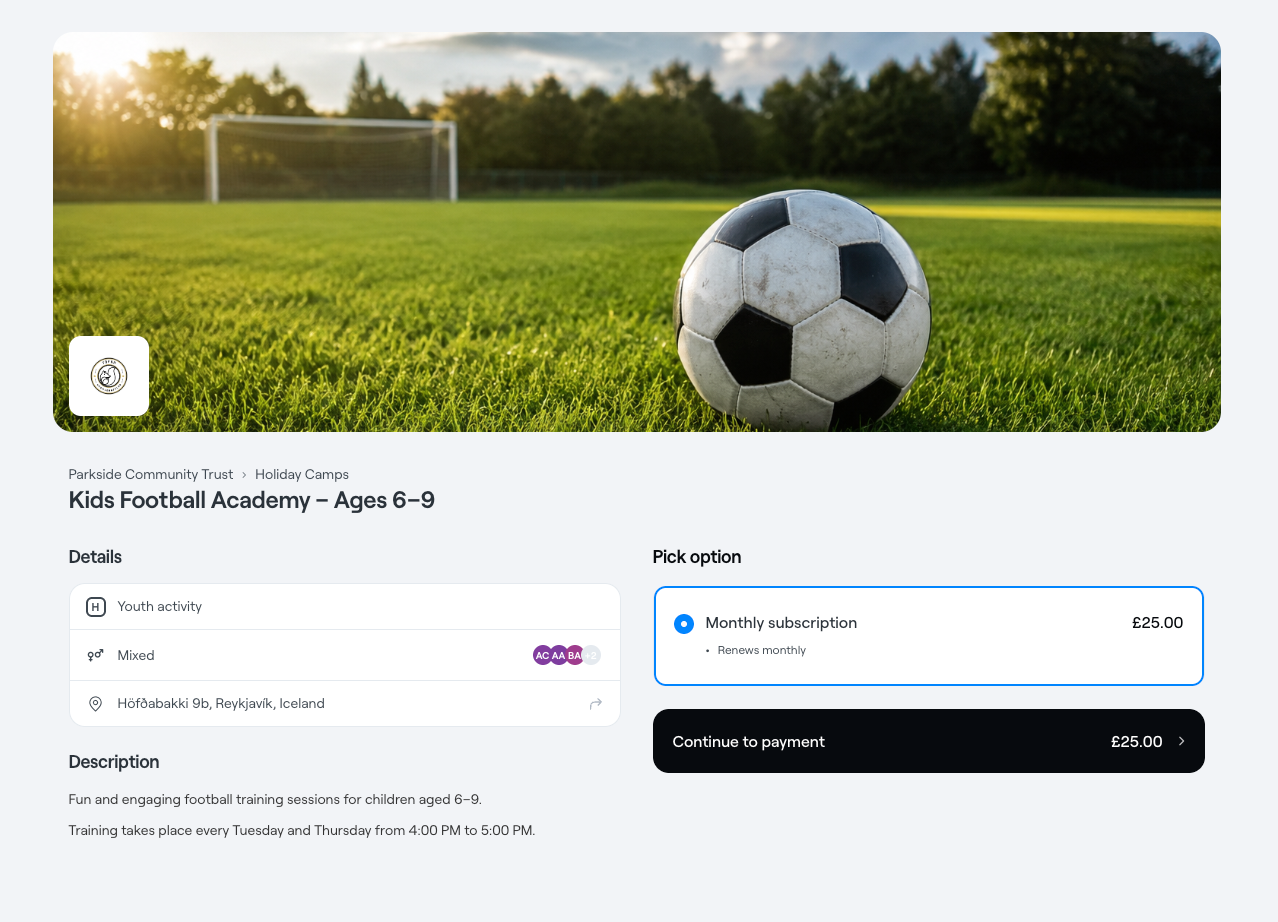
A recurring subscription service in Abler is used when you want to offer automatic, repeat billing—typically for services like monthly training fees, club memberships, or other ongoing programs. When a user subscribes, payments are automatically charged on a regular basis (e.g. every month or every 4 weeks) based on the settings you define. You can also control things like commitment periods, cancellation terms, and capacity limits.

This guide walks you through how to set up a recurring subscription in Abler’s web shop.
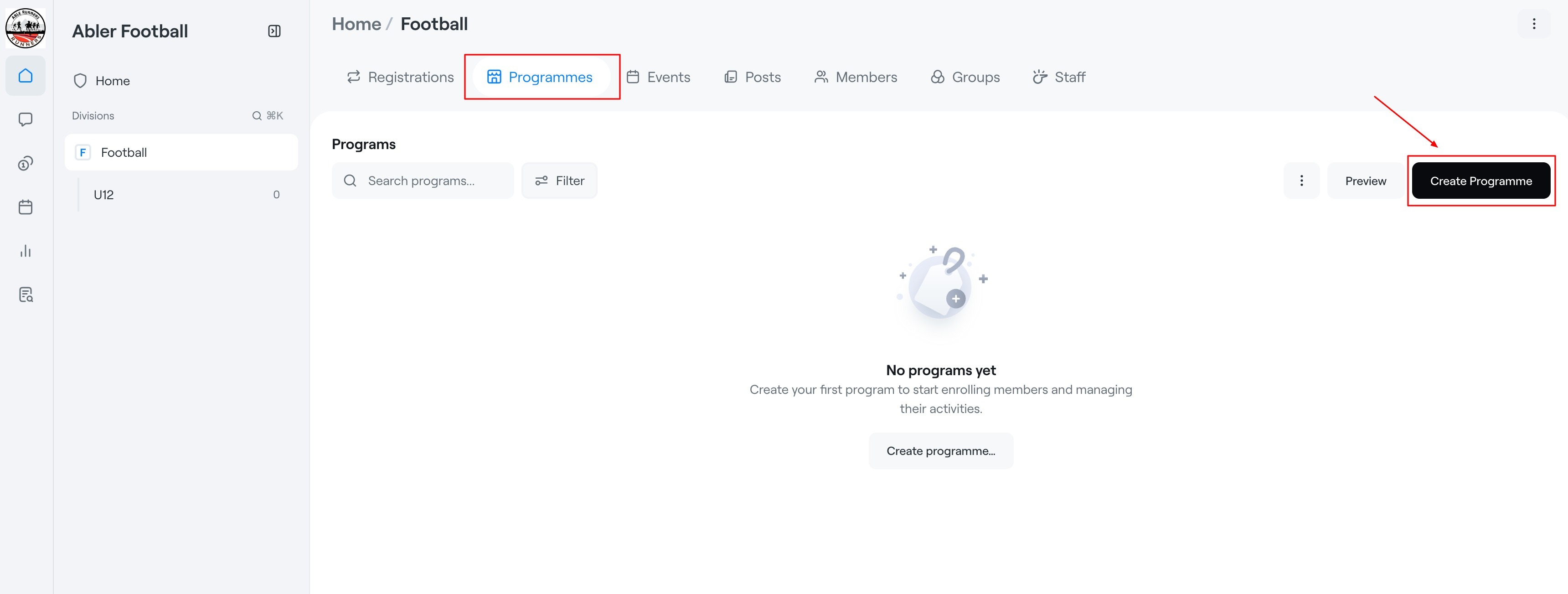
1. Open Programmes
- Navigate to the Programmes tab.
- Click Create Programme.
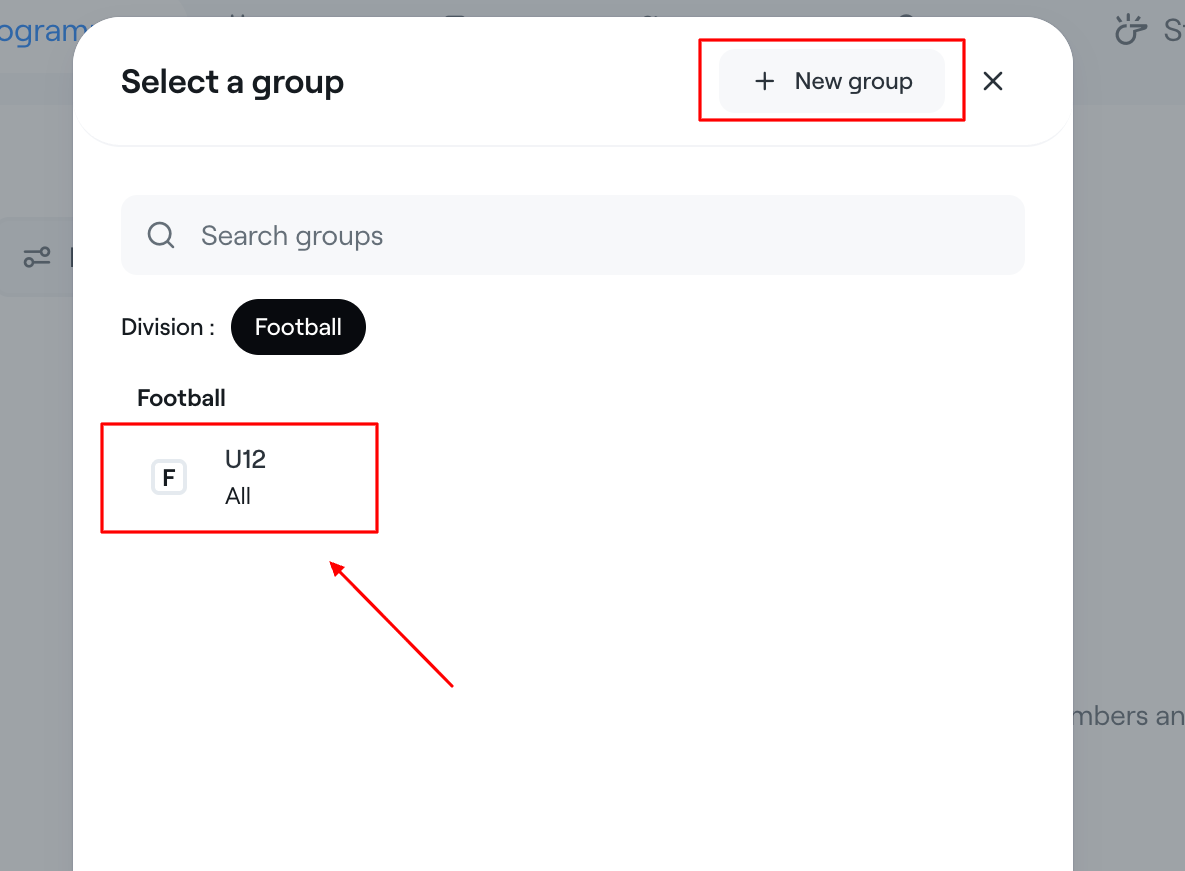
2. Select a Group
A "Select a Group" window will appear.
|  |
3. Enter Programme Details
Upload an Image - This will present the service well in the Abler shop.
Programme Name
- Enter the name of the programme.
Examples:
- U12
- Goalkeeper Development Programme
Description
Add a short description explaining the purpose of the programme.
Basic Information
- Gender & Age group - Click on the "Mixed · All ages" section to expand the settings.
- Location - Select your venue.
- Payment account.
4. Choose the Programme Type
You need to change the type from "Term" to "Subscription" before you can create a subscription.
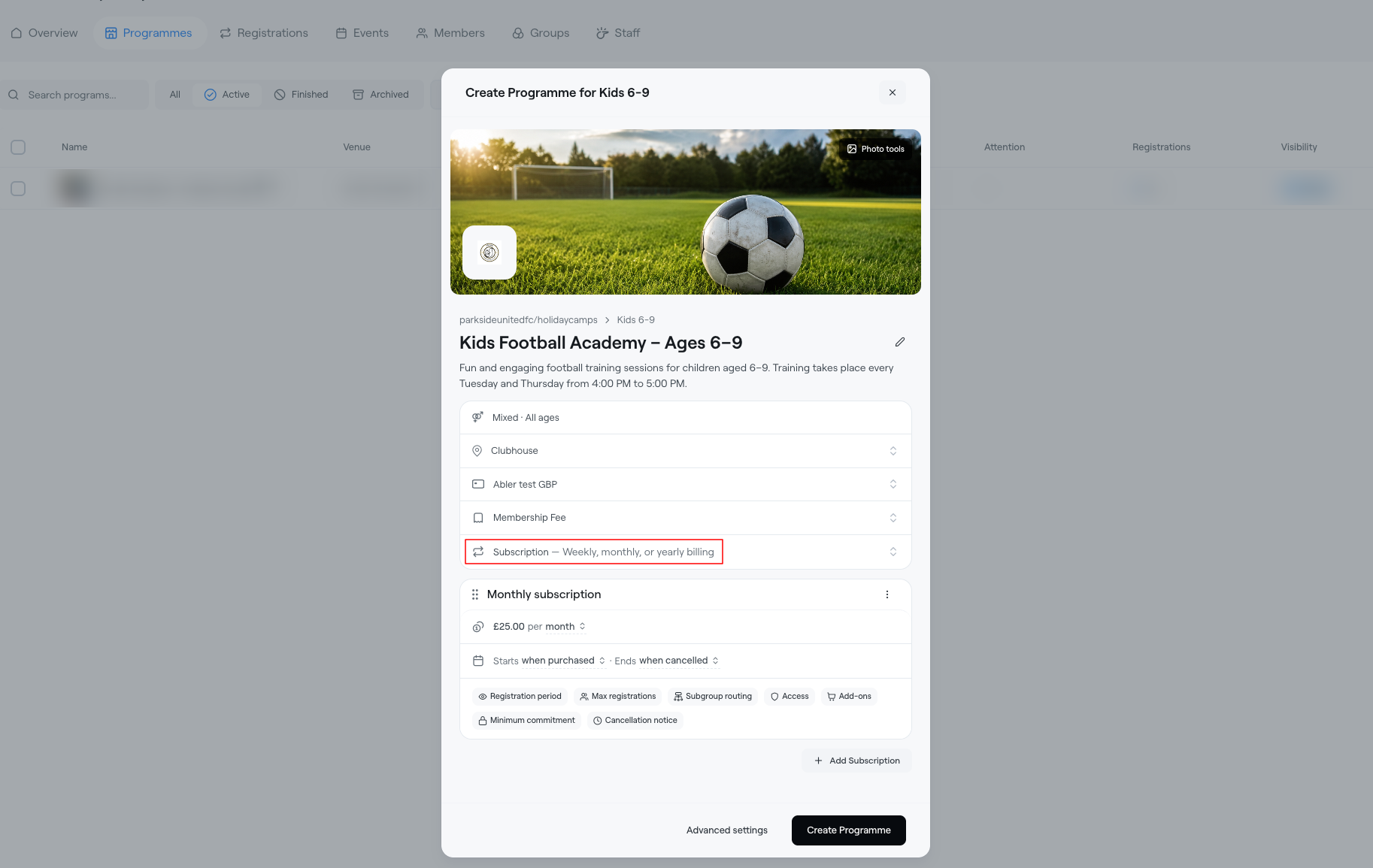
Price and Payment Frequency
Enter the subscription price and select how often payments should be collected.
The following payment options are available:
- Daily: Payments are collected every day.
- Weekly: Payments are collected every week.
- Monthly: Payments are collected every month.
- Yearly: Payments are collected every year.
- Every set interval: Set a custom interval between payments.
- One-time payment: Collect a single payment instead of recurring payments.
Subscription Start Date (Starts when)
Choose when the subscription should begin:
- When purchased: The subscription starts immediately upon purchase.
- 1st of next month: The subscription starts on the first day of the following month.
- Custom date: Select a specific date for the subscription to begin.
Subscription End Date (Ends when)
Choose when the subscription should end:
- When cancelled: The subscription remains active until it is cancelled.
- After a number of months: The subscription automatically ends after a specified number of months.
- Custom date: Select a specific date for the subscription to end.
Once the Subscription Programme has been created, members can sign up through your club’s online shop. The shop will display the programme description, subscription price, and payment frequency, so members can clearly see how often their payments will renew.